Next Nature Museum ---- Ground Voices Installation
› functionality
› local vs online
› current setup
› the creation of a character
› interaction
› maintenance
› notes
› future options
› antropomorphic chatbot
› interface through speaking/listening
› conversation based on scientific research
› three different characters/organisms
› longterm (years) 24/7 installation
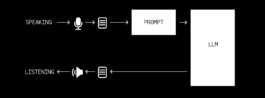
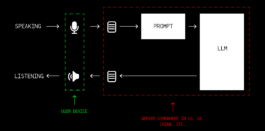
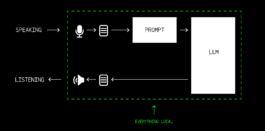
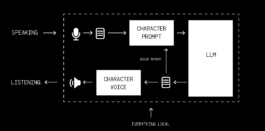
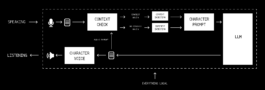

We chose for a local setup in March 2025
Disadvantages:
- limited processing power, slower response time
Advantages:
- autonomous, only needs electricity
- does not change, does not need to be updated, if it runs - it runs
- no data privacy issues
- you are in full control
Compared to previous version:
- shorter reaction time (~6-9s -> ~3-5s)
- retrained and improved Dutch voice models
- simplified interaction
- more natural conversation
- created all three characters Tris, Ko & LB
slide 5.1 - Creation of character 1/4
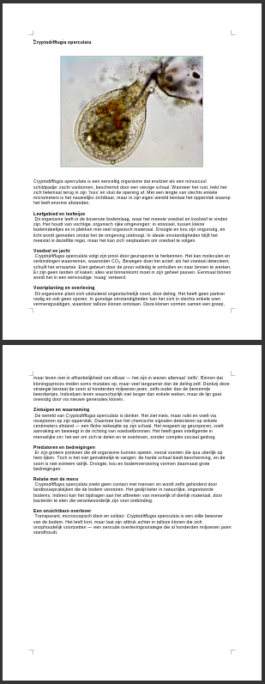
"Cryptodifflugia operculata is een eencellig organisme dat eruitziet als een minuscuul schildpadje: zacht vanbinnen, beschermd door een stevige schaal. Wanneer het rust, trekt het zich helemaal terug in zijn ‘huis’ en sluit de opening af. Met een lengte van slechts enkele micrometers is het nauwelijks zichtbaar, maar in zijn eigen wereld beslaat het oppervlak waarop het leeft enorme afstanden."
and of course:
- interviews with scientists
- collecting scientific data
- quite intense process
slide 5.2 - Creation of character 2/4
this is just one possible way, we created our own process and tools
slide 5.3 - Creation of character 3/4
- script per character+language
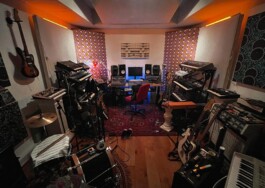
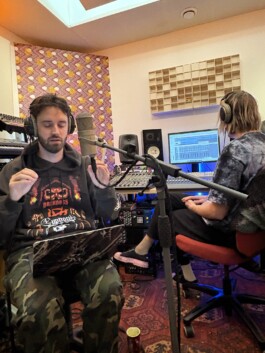
- setup recording studio
- direct voice actors
- record 150 snippets
example recording snippet:
prepare recordings and script
for training voice model
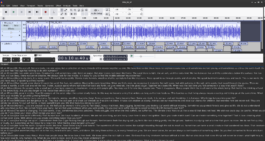
and then train it
slide 5.4 - Creation of character 4/4
- when you talk, the creature always stops speaking
- it remembers, but memory between talks is wiped
- it understands "any" language
- replies in Dutch by default
- replies in English, if visitor starts in English
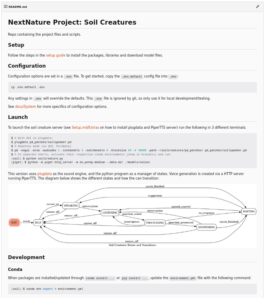
slide 6 - Speaking and listening interaction logic
English is more intensively trained, therefore better in quality
slide 7.1 – Dutch vs English
much improved
comparable with online services
slide 7.2 – Latency
slide 8.1 – turning it on/off

slide 9 – future options